
Claude AI Course
Claude AI Course Online
Learn Claude hands-on, inside our AI Tool Mastery certification.
Learn Anthropic's Claude for real work: writing, long documents, research and Cowork. Claude is taught inside AI Tool Mastery, our 30-day online certification, alongside prompt engineering and 10 other AI tools. No coding required.

About Claude
What is Claude, and why learn it?
Claude is the AI assistant made by Anthropic. It is known for careful, natural writing, for working through very long documents without losing the thread, and for thoughtful analysis. Many professionals keep Claude open for drafting and reviewing, and switch to other tools for search or images.
Like any AI tool, Claude gives far better results to people who know how to brief it. Our Claude AI course teaches you to do that: set up the context, ask for the right format, check the answer and turn Claude's output into work you can actually use.
The course
AI Tool Mastery — 30-Day Certification
Go beyond basic prompts. Explore ChatGPT, Claude, Gemini & 8+ AI tools through real-world tasks, projects and a 30-day certification.
₹1,999Original price ₹2,49920% off
Enrol in AI Tool MasteryCurriculum
What this Claude AI course covers
Claude has its own lessons in Module 3 of AI Tool Mastery, and every prompting skill from Module 2 is practised on it. Here is exactly what you study.
- 01
Claude Mastery: the Claude interface
A guided tour of Claude's features: chats, file uploads, Projects for ongoing work and Artifacts for documents and small tools you create in the chat.
- 02
Claude Mastery: practice session
Hands-on exercises where you use Claude on real tasks and compare your first attempt with an improved prompt.
- 03
Cowork Mastery
How to use Claude Cowork, Anthropic's desktop assistant that can work through multi-step tasks with your files, with a practice session.
- 04
Prompt engineering, applied to Claude
Ten lessons on prompt structure, techniques, reasoning, structured output and evaluating AI answers, all usable in Claude from day one.
- 05
Real-world use cases and capstone
Modules 4 and 5 apply Claude and the other tools to scenarios from your own study or job, ending in a capstone project that earns the certificate.
The full 30-day curriculum
AI Foundations
Days 1–6
What AI actually is, how it learns, and where it goes wrong.
Prompt Engineering
Days 7–12
The single highest-leverage skill — turning vague requests into reliable output.
Mastering the AI Tools
Days 13–21
Hands-on command of eleven professional tools, with real applications.
Real-World Use Cases
Days 22–27
Applying the toolkit to genuine scenarios from study and work.
Capstone Project
Days 28–30
Independent work that proves capability and becomes portfolio evidence.
Skills
What you'll be able to do with Claude
Write and edit with a clear voice
Draft emails, reports and posts, then edit them into your own style instead of generic AI text.
Work through long documents
Upload contracts, reports or research papers and get summaries, comparisons and answers grounded in the text.
Research and analyse
Break down a question, weigh the evidence and turn findings into a structured brief you can check.
Organise work in Projects
Keep instructions and reference files together so Claude keeps the context of an ongoing piece of work.
Create with Artifacts
Produce documents, checklists and simple interactive pages right inside the chat.
Know when not to trust it
Spot mistakes, verify claims and keep private or client data safe when you use Claude at work.
Prompts
Try it: three Claude prompts in the course style
Good Claude prompts give it a role, the context, the task and the format you want. Copy these into Claude and adapt the details.
Summarise a long report
You are an analyst briefing a busy manager. I've attached a 40-page report. Summarise it in 5 bullet points, list the 3 decisions it asks us to make, and quote the page number for each claim so I can check it.
Rewrite in your own voice
Here are two emails I wrote that sound like me, and a draft that doesn't. Rewrite the draft in my style: short sentences, friendly, no jargon. Keep every fact the same and highlight anything you changed in meaning.
Plan before you write
I need a one-page proposal for a weekly AI training session for my team of 12. Before writing it, ask me up to 5 questions about goals, budget and schedule. Then draft the proposal with headings.
Compare
Claude vs ChatGPT: which should you learn?
You don't have to pick one. AI Tool Mastery teaches both, so you learn which tool fits which job.
| Feature | Claude | ChatGPT |
|---|---|---|
| Made by | Anthropic | OpenAI |
| Best known for | Careful writing, long documents, analysis | Breadth of features, images, voice, custom GPTs |
| Creating inside the chat | Artifacts, Projects | Canvas, custom GPTs |
| Watch out for | Tighter usage limits on consumer plans | Can sound generic without a strong prompt |
Certification
Claude AI certification: your options
Complete AI Tool Mastery, including the capstone project, and you earn the AivaanTech AI Tool Mastery certificate. It shows your name, the course title, the issue date and a unique certificate ID that anyone can verify online.
It is not an official Anthropic certification, and we think you should know what the official options are before you choose.
Anthropic Claude Certification (official exams)
Who can take it: Only people working at companies in Anthropic's Claude Partner Network.
Four proctored exams delivered through Pearson VUE, from Associate to Architect level.
Anthropic Claude Academy (official courses)
Who can take it: Anyone.
Anthropic's own self-paced courses, such as Claude 101, with completion badges.
AivaanTech AI Tool Mastery certificate
Who can take it: Anyone. Built for non-coders.
A 30-day guided course across Claude and 10 other AI tools, with a capstone project and a verifiable certificate.
Official program details as published by Anthropic and Pearson VUE, September 2026.
AivaanTech is an independent training provider and is not affiliated with or endorsed by Anthropic.
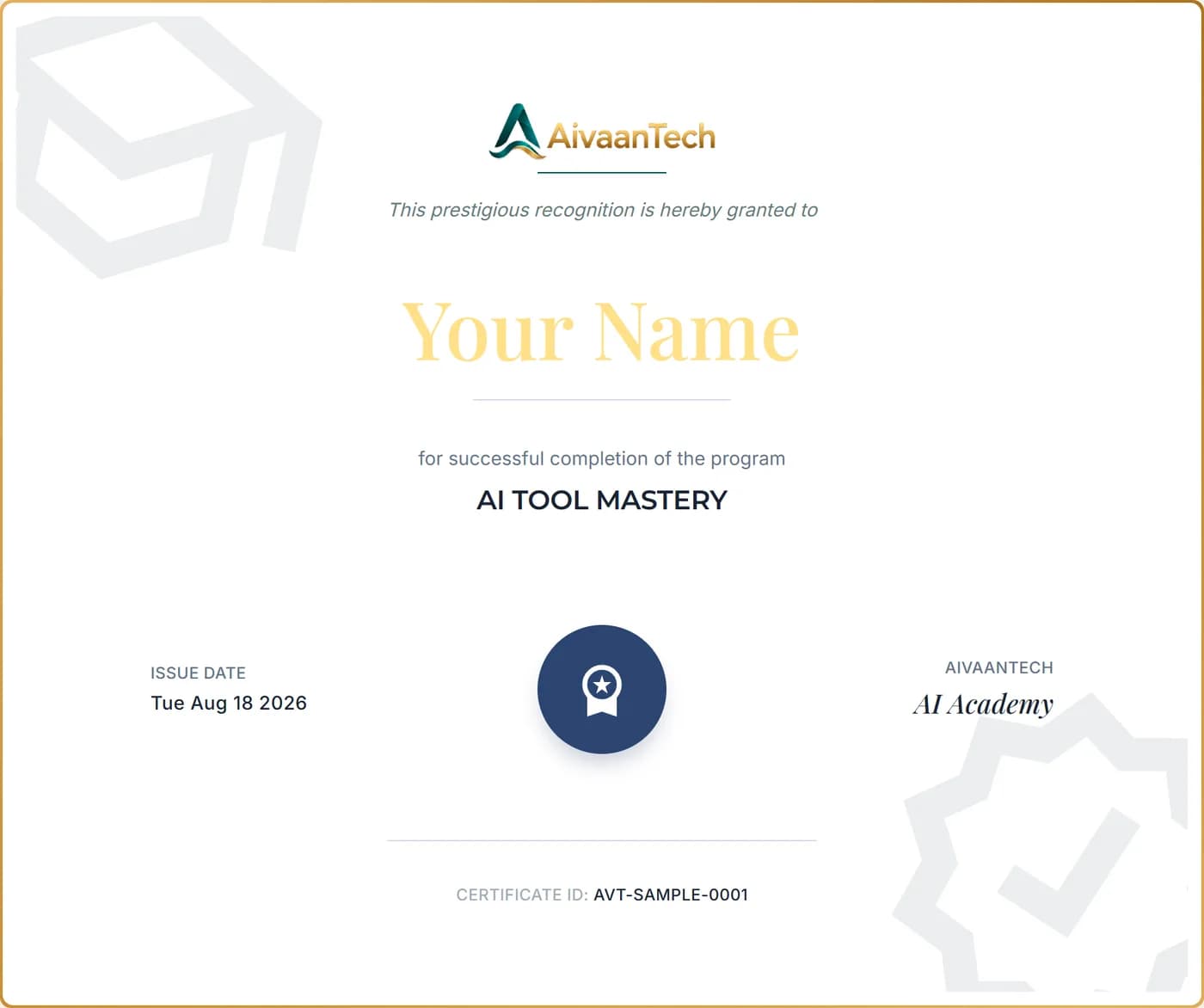
Your Certificate
What you'll receive.
An AivaanTech AI Academy certificate with your name, the course title, the issue date and a unique certificate ID. Add it to your CV, LinkedIn profile or portfolio.
Anyone can confirm it's genuine by entering the certificate ID on our certificate verification page.
Sample shown with placeholder details.
Built for
Who this Claude course is for
- Professionals who write, research or review documents every day
- Managers who want faster reports, briefs and meeting summaries
- Students and researchers working with long reading material
- Teachers preparing lessons, materials and feedback
- ChatGPT users who want to know when Claude is the better tool
- Complete beginners, with no technical background needed
Learner reviews
What AI Tool Mastery learners say
FAQ
Claude AI Course, answered
Keep reading
Start learning Claude online
Learn Claude and 10 more AI tools in 30 days, with a capstone project and a verifiable certificate.