
Microsoft Copilot Course
Microsoft Copilot Course Online
Learn Copilot hands-on, inside our AI Tool Mastery certification.
Learn Microsoft Copilot for real office work: drafting in Word, analysing data in Excel, building slides in PowerPoint and handling email in Outlook. Copilot is taught inside AI Tool Mastery, our 30-day online certification, alongside prompt engineering and 10 other AI tools. Built for beginners, with no coding required.
About Microsoft Copilot
What is Microsoft Copilot, and why learn it?
Microsoft Copilot is Microsoft's AI assistant. With Microsoft 365 Copilot, it works inside the apps many offices already use every day, such as Word, Excel, PowerPoint and Outlook, and it can draw on the work files and emails you already have access to.
Most people try Copilot once, get a vague answer and give up. The difference comes from knowing how to ask. Our Microsoft Copilot course teaches you to give Copilot clear instructions, choose the right app for the task, check what it produces and turn it into work you can send.
The course
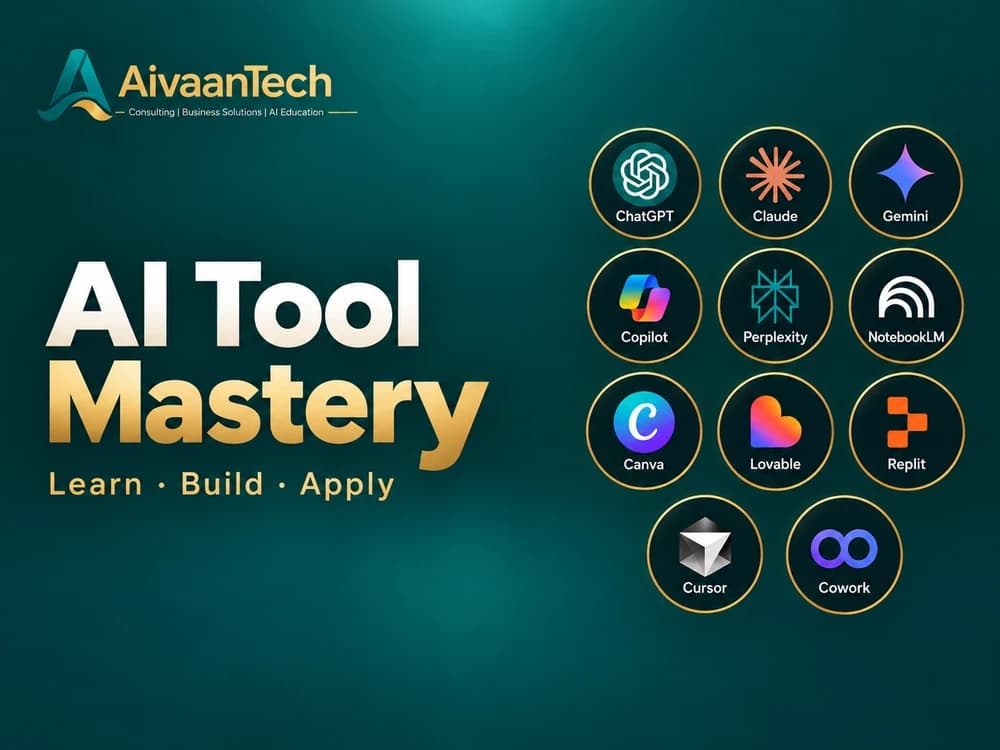
AI Tool Mastery — 30-Day Certification
Go beyond basic prompts. Explore ChatGPT, Claude, Gemini & 8+ AI tools through real-world tasks, projects and a 30-day certification.
₹1,999Original price ₹2,49920% off
Enrol in AI Tool MasteryCurriculum
What this Microsoft Copilot course covers
Copilot is taught in Module 3 of AI Tool Mastery, and every prompting skill from Module 2 is practised on it. Here is what you study.
- 01
Microsoft Copilot in Module 3: Master AI Tools
Hands-on lessons on Copilot inside Word, Excel, PowerPoint and Outlook: what each app's Copilot can do, and how to use it on real tasks.
- 02
Choosing the right tool for each job
When Copilot is the best choice, and when ChatGPT, Claude, Gemini or another tool from the course does the job better.
- 03
Prompt engineering, applied to Copilot
Module 2 covers prompt structure, prompting techniques, reasoning for complex tasks and checking AI output, all usable in Copilot from day one.
- 04
AI foundations, including limits and responsible use
Module 1 explains how generative AI works, why it makes mistakes (hallucinations) and how to use it responsibly at work.
- 05
Real-world use cases and capstone
Modules 4 and 5 apply Copilot and the other tools to business reporting, proposals, analysis and documentation, ending in a capstone project that earns the certificate.
The full 30-day curriculum
AI Foundations
Days 1–6
What AI actually is, how it learns, and where it goes wrong.
Prompt Engineering
Days 7–12
The single highest-leverage skill — turning vague requests into reliable output.
Mastering the AI Tools
Days 13–21
Hands-on command of eleven professional tools, with real applications.
Real-World Use Cases
Days 22–27
Applying the toolkit to genuine scenarios from study and work.
Capstone Project
Days 28–30
Independent work that proves capability and becomes portfolio evidence.
Skills
What you'll be able to do with Microsoft Copilot
Draft and edit in Word
Turn rough notes into a clean first draft, then rewrite, shorten or change the tone without starting again.
Analyse data in Excel
Ask questions about a table, get formula suggestions explained in plain English, and spot trends and outliers.
Build slides in PowerPoint
Create a draft deck from a document or outline, then refine the structure and wording slide by slide.
Handle email in Outlook
Summarise long threads, draft replies in the right tone and pull out the action items.
Write prompts that work
Brief Copilot with a goal, context and format so the first answer is usable, then improve it with follow-ups.
Know when not to trust it
Check numbers and facts, keep confidential data safe and follow your company's AI rules.
Prompts
Try it: three Microsoft Copilot prompts in the course style
Good Copilot prompts say what you want, give the context and ask for a clear format. Try these in Copilot and adapt the details.
Word: first draft from notes
Turn these meeting notes into a one-page project update for senior managers. Use three headings: progress, risks and decisions needed. Keep it under 300 words and use plain English.
Excel: understand a sales table
Look at this sales table. Which three products grew most compared with last quarter? Explain any formula you suggest in plain English, and point out anything that looks like a data error.
Outlook: catch up on a long thread
Summarise this email thread in five bullet points. List any decisions made and who owns each action, then draft a short, polite reply confirming the next steps.
Compare
Microsoft Copilot vs ChatGPT: which should you learn?
You don't have to pick one. AI Tool Mastery teaches both, so you learn which tool fits which job.
| Feature | Microsoft Copilot | ChatGPT |
|---|---|---|
| Made by | Microsoft | OpenAI |
| Best known for | AI inside Word, Excel, PowerPoint and Outlook | A broad, general-purpose assistant |
| Works with your files | Your Microsoft 365 work files and email, with a Microsoft 365 Copilot licence | Files you upload or connect |
| Watch out for | Features inside the Office apps need a paid licence | Can sound generic without a strong prompt |
Certification
Microsoft Copilot certification: your options
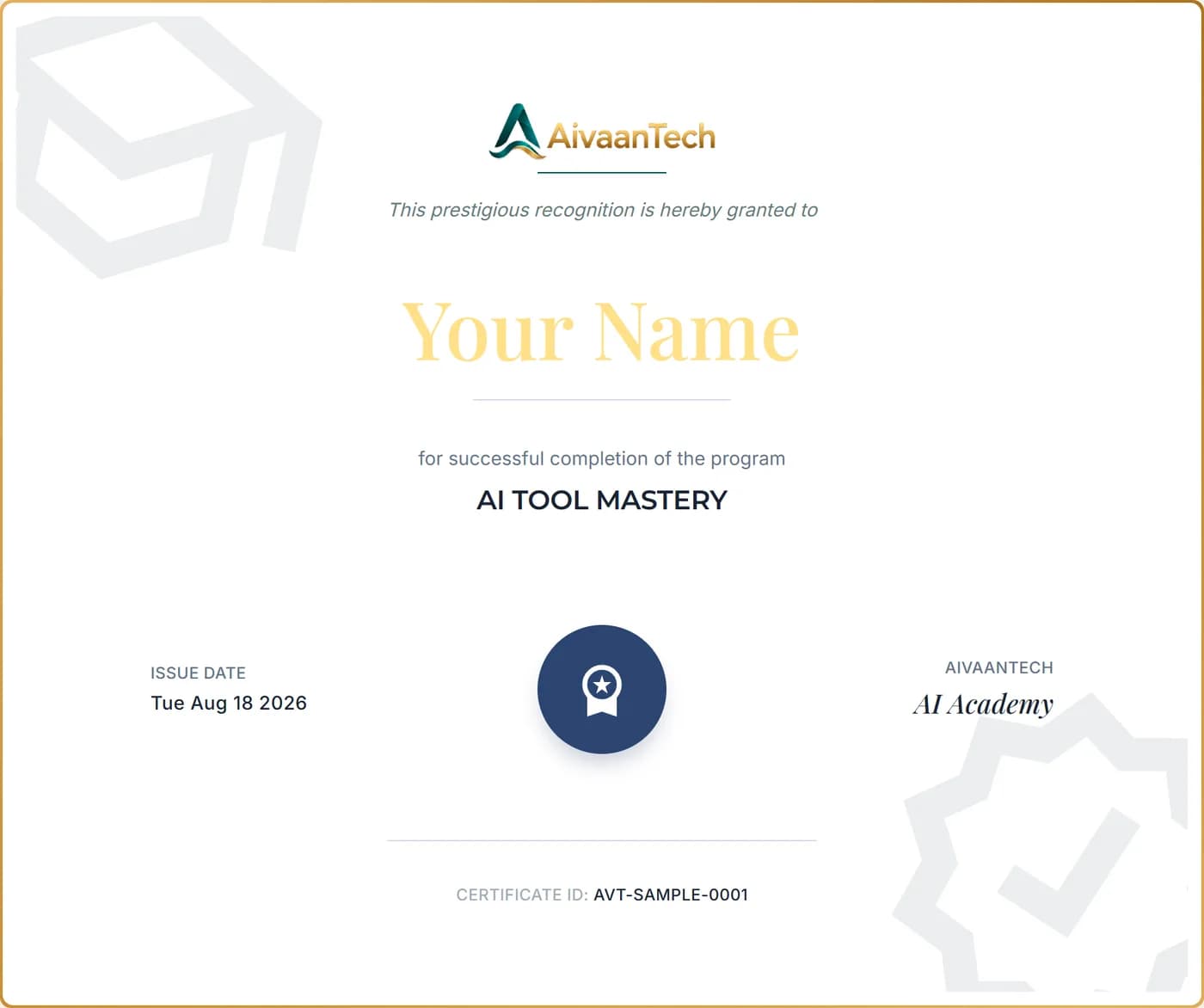
Complete AI Tool Mastery, including the capstone project, and you earn the AivaanTech AI Tool Mastery certificate. It shows your name, the course title, the issue date and a unique certificate ID that anyone can verify online.
It is not an official Microsoft certification. Microsoft offers its own free training and paid certification exams, and we think you should know about them before you choose.
Microsoft Learn (free official training)
Who can take it: Anyone.
Microsoft's own self-paced Copilot modules and learning paths, some with short assessments.
Microsoft exam AB-730: AI Business Professional
Who can take it: Business users who use Copilot and other AI tools in their daily work.
A paid Microsoft certification exam on generative AI basics, prompts, business content and agents.
Microsoft exam AB-900: Microsoft 365 Copilot and Agent Administration Fundamentals
Who can take it: IT and admin roles that set up and manage Copilot.
A paid Microsoft certification exam on Microsoft 365, data protection and Copilot administration.
AivaanTech AI Tool Mastery certificate
Who can take it: Anyone. Built for beginners and non-coders.
A 30-day guided course across Copilot and 10 other AI tools, with a capstone project and a verifiable certificate.
Microsoft program details as published on Microsoft Learn, October 2026.
AivaanTech is an independent training provider and is not affiliated with or endorsed by Microsoft.
Your Certificate
What you'll receive.
An AivaanTech AI Academy certificate with your name, the course title, the issue date and a unique certificate ID. Add it to your CV, LinkedIn profile or portfolio.
Anyone can confirm it's genuine by entering the certificate ID on our certificate verification page.
Sample shown with placeholder details.
Built for
Who this Microsoft Copilot course is for
- Office professionals in companies that use Microsoft 365
- Managers who want faster reports, slides and meeting follow-ups
- Finance, sales and operations teams who work in Excel every day
- Admin, HR and support staff who handle lots of documents and email
- ChatGPT users who want to know when Copilot is the better tool
- Complete beginners, with no technical background needed
Learner reviews
What AI Tool Mastery learners say
FAQ
Microsoft Copilot Course, answered
Keep reading
Start learning Microsoft Copilot online
Learn Microsoft Copilot and 10 more AI tools in 30 days, with a capstone project and a verifiable certificate.