
How Teachers Can Use ChatGPT: 15 Ways AI Can Help
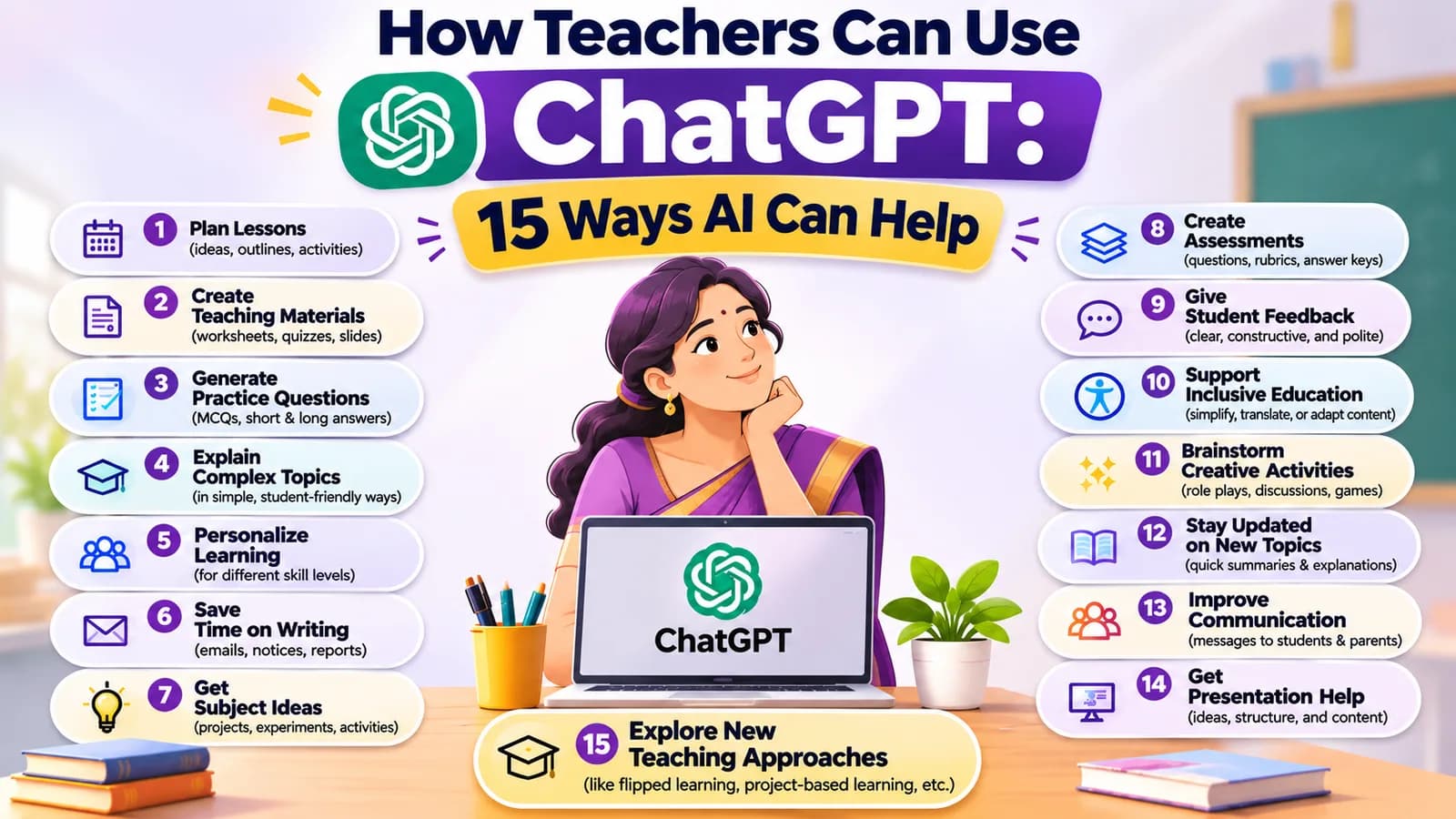
Quick answer: Here is how teachers can use ChatGPT and other AI tools: to draft lesson plans, worksheets, quizzes, rubrics, slides and feedback in minutes, then check and improve them. AI does the first draft. The teacher decides what goes in front of the class. The 15 ideas below show where AI helps most, with the tool to try for each one.
Ask any teacher what they would like more of, and the answer is nearly always time. Lesson plans, worksheets, question papers, presentations, feedback and messages to parents are often done late in the evening, after the teaching is finished.
AI cannot replace a teacher. It does not know your class, your students or your school. What it can do is give you a first draft quickly, so you spend your time improving it instead of starting from a blank page. This guide shows how teachers can use ChatGPT and other AI tools, step by step.
Which AI tools do teachers use?
You do not need many tools. Here are the main ones in this guide.
| Tool | Good for |
|---|---|
| ChatGPT | Drafting plans, worksheets, questions, feedback and messages |
| Gemini | Explaining topics and drafting, especially if you already use Google apps |
| Canva | Slides, handouts, posters and flashcards |
| Gamma | Turning an outline or chapter into a presentation |
| NotebookLM | Answers from your own syllabus, textbook or notes |
| Copilot in Excel | Looking at marks and results in a spreadsheet (needs a Copilot licence) |
Features and plans change often, so check each tool's own page for what it offers today.
Planning and preparing: ways 1 to 5
1. Create lesson plans
Give the AI the subject, grade, topic and length of the class, and ask for a structured plan. Then adjust it to your class and your syllabus. Tool: ChatGPT
You are a helpful teaching assistant. Create a [40-minute] lesson plan for Grade [8] [Science] on the topic [photosynthesis]. Include: learning objectives, a short starter activity, main explanation with one simple example, a group activity, and a 5-question quick check at the end. Use simple language.
2. Generate worksheets
Ask for worksheets, fill-in-the-blanks, multiple-choice questions and practice exercises for the topic you just taught. Tool: ChatGPT
3. Create presentations
Paste a chapter summary or an outline and ask for a slide-by-slide structure. Then build the slides in a design tool. Tools: Canva, Gamma
4. Prepare question papers
Ask for questions at different difficulty levels, or a practice test based on your syllabus. Always check the answers yourself. Tool: ChatGPT
5. Write rubrics and marking guides
Describe the assignment and ask for clear marking criteria. Sharing a rubric before the task helps students know what is expected. Tool: ChatGPT
Explaining and engaging: ways 6 to 10
6. Explain difficult concepts
Ask AI to explain a hard idea in simple words, with examples that suit the age group. Try: "Explain this for a 10-year-old, then for a 15-year-old." Tools: ChatGPT, Gemini
7. Support different learning levels
Adapt the same explanation or exercise for beginners, advanced learners and students who need extra support. This is one of the most useful ways teachers use AI, because making several versions by hand takes a long time. Tool: ChatGPT
Here is an explanation I give my class: [paste your explanation]. Rewrite it three ways: (1) simpler, for students who find this topic hard; (2) the same level, with a different real-life example; (3) more challenging, for students who want to go further.
8. Create flashcards and learning games
Make vocabulary cards, quizzes, puzzles and classroom activities, then format them in a design tool. Tools: Canva, ChatGPT
9. Create educational videos
Prepare scripts, illustrations, voiceovers and visual explanations for topics that students find hard to picture. Tools: Canva, AI video tools
10. Make materials in more than one language
Ask for a simpler version of a handout, or a version in another language for parents. Always have someone who knows the language check it before it goes out, because translations can contain mistakes. Tools: ChatGPT, Gemini
Assessing and communicating: ways 11 to 13
11. Look at student performance
Use AI to spot common gaps in a set of marks and suggest topics that need revision. Remove student names and personal details first, and follow your school's rules on student data. Tools: ChatGPT, Copilot in Excel. See our guides to Copilot in Excel and ChatGPT for Excel.
12. Write student feedback
Prepare constructive comments and progress report drafts, then add what you know about the child. A draft is a starting point. The final words should sound like you. Tool: ChatGPT
13. Draft messages to parents
Write a polite circular, a meeting request or a reminder about an event, in the tone you choose. Tool: ChatGPT
Working smarter: ways 14 and 15
14. Get answers from your own material
Upload your syllabus, textbook or lesson notes and ask questions. NotebookLM answers from the documents you add and shows where in them each answer comes from, which makes it easier to check than a general chatbot. Tool: NotebookLM
15. Plan the term and handle admin
Build a term plan or pacing calendar, draft a leave letter or a substitute teacher's notes, and organise your to-do list. Tools: ChatGPT, Microsoft Copilot
How to write better prompts as a teacher
The quality of the draft depends on how clearly you ask. Five habits help most.
- Say who and what. Give the subject, grade and topic, so the answer fits your class.
- Say how long. For example, a 40-minute lesson or a 10-question quiz.
- Say the format. Ask for a table, a numbered list or a one-page handout.
- Say the tone and level. Ask for simple words, or for the language a 12-year-old would understand.
- Ask for versions, then improve. Ask for three options, pick one, and tell the AI what to change.
Here is the difference in practice.
| Weak prompt | Better prompt |
|---|---|
| "Quiz on fractions" | "Write a 10-question quiz on adding fractions for Grade 5. Make 6 easy and 4 harder, give the answers separately, and use everyday examples such as sharing food." |
| "Feedback for a student" | "Write three sentences of kind, specific feedback on a Grade 7 essay that has good ideas but weak spelling. End with one next step. Keep it encouraging." |
If your first answer is not right, do not start again. Reply with what to change: "Make it shorter", "Use an example from daily life" or "Add a harder question." Most good results come after one or two follow-ups.
Three rules for using AI well in school
- Check everything. AI can be wrong, and it often sounds confident when it is. Read every answer before it reaches students. OpenAI's own guide for teachers (opens in a new tab) also covers the limits of ChatGPT, including bias.
- Protect student privacy. Do not put names, photos or personal details into public AI tools. Follow your school's and board's rules on student data and on AI.
- You decide. AI gives the first draft. The final lesson, the grade and the feedback stay yours. Tell students when and how AI is allowed in your class.
What AI cannot do for a teacher
AI does not know your students. It cannot see who is struggling, who needs a kind word or who is bored. It cannot replace the way you explain, listen and notice. It also makes mistakes, so it can never be the final authority on facts.
That is why the best use of AI in school is simple: let it do the first draft, so you have more time for the part only a teacher can do.
How to start this week
Pick one task that takes you the most time, such as worksheets or parent messages. Try it with one tool. Compare the draft with what you would have written, and adjust the prompt until it fits. After a week, you will know which tasks AI helps with and which it does not.
Writing a clear prompt is a skill you can learn. Our guides to prompt engineering templates and what AI fluency is are good places to begin, and how to learn AI without coding shows a simple path if you are new.
Learn these tools step by step
AivaanTech's AI Tool Mastery course teaches ChatGPT, Claude, Canva, NotebookLM and other tools through hands-on tasks. It is built for beginners, needs no coding, and ends in a capstone project and a certificate that anyone can verify online. Lessons are self-paced, and there are live classes and a Saturday Q&A, so your questions get answered.
Teachers can see how the course fits their work on our page for AI for teachers. For more tools worth learning, read our guide to AI tools for productivity.
Frequently asked questions
How can teachers use ChatGPT in the classroom?
Is ChatGPT free for teachers?
Is it safe to put student names or marks into ChatGPT?
Can AI detectors tell if a student used ChatGPT?
Which AI tool is best for teachers?
Do teachers need coding skills to use AI?
Ready to go deeper?
Explore the full 30-day AI Tool Mastery certification — prompt engineering, 11+ tools and a real capstone project.